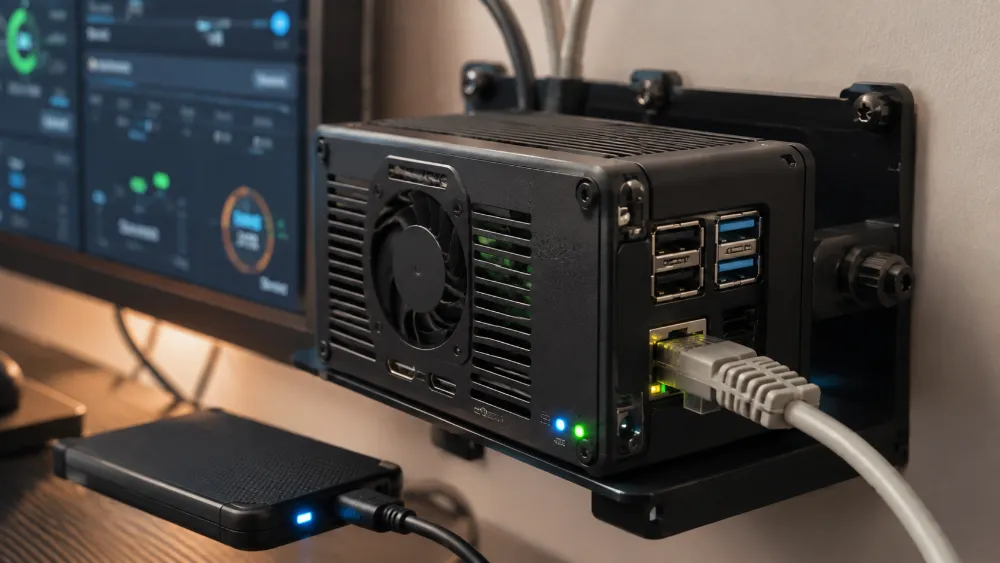
Technical Experience — Raspberry Pi 5 as a Self-Hosted Automation Server
Experience Area: Raspberry Pi 5, Linux, Self-Hosting & Automation Infrastructure
Hardware: Raspberry Pi 5 — 8 GB RAM
Core Stack: Linux, Docker, Docker Compose, n8n, PostgreSQL, SSH, CLI Operations, Cloudflare Tunnel
This Was Not a Raspberry Pi Learning Project
I did not buy a Raspberry Pi just to run a few tutorials on it.
I needed an always-on machine for automation.
My main computer is for active work.
n8n workflows, scheduled jobs, webhooks and background automation should not depend on whether my Windows PC is awake, restarting, updating or being used for something else.
So I began using a Raspberry Pi 5 with 8 GB RAM as a dedicated self-hosted automation server.
The objective was practical:
Move recurring automation infrastructure away from my daily workstation and onto a small machine that can stay online continuously.
The Pi Became an Infrastructure Machine, Not a Desktop Replacement
I did not try to make the Raspberry Pi replace my main development computer.
I used it for the workloads where a small always-on Linux machine makes sense:
- n8n automation
- Scheduled workflows
- Webhook endpoints
- PostgreSQL-backed workflow data
- Background integrations
- Remote access
- Containerized services
That distinction mattered.
The Pi did not need to be the fastest computer in the room.
It needed to be stable, predictable and available when the automation needed it.
Linux Became Part of the Daily Operating Environment
Running production-style services on the Pi meant working directly with Linux rather than depending on a hosting control panel.
I became comfortable doing operational work through the terminal:
- SSH into the machine
- Navigate the Linux filesystem
- Inspect services
- Run Docker and Docker Compose commands
- Read container logs
- Restart services
- Check environment/configuration issues
- Troubleshoot connectivity
- Update the stack when needed
This is different from using Linux occasionally inside a tutorial.
If n8n is not working, the answer is not “open another app.”
I need to understand whether the problem is the container, the database, the network, the environment variables, the tunnel or the application itself.
Docker Made the Pi Easier to Operate
I could have installed every service directly on Linux.
I preferred containerization.
Docker gave the infrastructure clearer boundaries.
Instead of mixing application files, packages and service dependencies directly into the operating system, I could run services in containers and manage them through a repeatable configuration.
Docker Compose became especially useful because the system was not only one process.
The stack could include services such as:
n8n + PostgreSQL
with their own environment settings, persistent data and service relationships.
Docker Compose Turned “Commands I Remember” Into a Repeatable Stack
One of the useful things about Docker Compose is that I do not have to rebuild the whole environment from memory.
The important parts of the stack can be represented as configuration.
That made common operations easier:
- Start the stack
- Stop the stack
- Restart services
- Inspect status
- Read logs
- Recreate containers after configuration changes
- Keep data persistent between container rebuilds
This gave me practical experience with Docker Compose through the Linux CLI on ARM hardware rather than only through Docker Desktop on Windows.
PostgreSQL Made n8n More Than a Disposable Test Instance
For a temporary n8n experiment, a lightweight local setup can be enough.
For a system that should stay online and hold real workflow state, I wanted a proper database-backed setup.
So PostgreSQL became part of the self-hosted environment.
This meant I was no longer thinking only about:
“Is n8n running?”
I also had to think about:
- Database connectivity
- Persistent storage
- Service startup order
- Environment variables
- Container-to-container communication
- What survives a restart or container recreation
Then I Moved Real Automation Work Away From Windows
An important part of the experience was migration.
The goal was not to build a second empty n8n installation.
I wanted the Raspberry Pi to become the place where real automation could live.
That meant moving workflow operations away from the Windows machine and making sure the self-hosted environment could continue running them independently.
Migration work taught me to think about more than the visible workflow canvas.
Real automation state also depends on:
- Credentials
- Environment configuration
- Webhook URLs
- Database state
- External API connections
- DNS / public access
A workflow export alone is not always the entire system.
The Next Problem Was Public Webhooks
A self-hosted n8n instance inside a private network is useful until an external service needs to call it.
Meta, Google, websites, forms and other systems cannot send a webhook to a private LAN address on my Raspberry Pi.
I needed the service to be reachable from the public internet.
But I did not want the simple solution to be:
“Open ports directly to the Pi and expose the machine.”
Cloudflare Tunnel Became the Public Access Layer
I used Cloudflare Tunnel to make the self-hosted n8n service publicly reachable through a real domain/subdomain while the Raspberry Pi remained inside the private network.
This gave the system a public HTTPS endpoint suitable for:
- n8n access
- Webhooks
- External API callbacks
- Remote administration
The important architecture became:
Internet → Cloudflare → Tunnel → Private Raspberry Pi service.
That was much cleaner than treating the home network like a public web server.
Self-Hosting Changed How I Think About Reliability
When I use a managed SaaS product, many infrastructure problems are someone else’s responsibility.
When the service runs on my own Raspberry Pi, they become mine.
I have to think about:
- Is the Pi online?
- Is Docker running?
- Is the n8n container healthy?
- Can n8n reach PostgreSQL?
- Is the tunnel connected?
- Is DNS resolving correctly?
- Are webhooks reaching the correct endpoint?
- Did a restart recover cleanly?
- Is the problem application-level or infrastructure-level?
This is one reason my later uptime-monitoring work became more careful about false positives and failure sources.
Operating your own infrastructure forces you to distinguish:
service failure, network failure, application failure and monitoring failure.
The Raspberry Pi Also Taught Me to Respect Resource Limits
A Raspberry Pi 5 is capable, but it is not unlimited.
That makes resource awareness important.
I cannot treat it like a large cloud server and keep adding services without thinking about the effect on the machine.
Self-hosting on compact hardware made me more conscious of:
- CPU load
- Memory usage
- Concurrent workflow execution
- Database load
- Container overhead
- Background services
- When a workload should stay on the Pi and when it belongs somewhere more powerful
That constraint is useful.
It encourages simpler infrastructure instead of adding software because it is technically possible.
I Use the Pi as Part of a Larger System
The Raspberry Pi is not isolated from the rest of my development setup.
My Windows workstation can remain the place for heavier development, browser work, local AI and interactive tooling.
The Pi can remain the always-on automation/server layer.
Cloud services and APIs can remain external where they make sense.
This creates a hybrid environment:
Windows workstation + Linux Raspberry Pi + Dockerized services + public cloud APIs + secure tunnel access.
I prefer this over forcing every workload into one machine.
What This Experience Gave Me
Running a Raspberry Pi as real infrastructure gave me hands-on experience that is difficult to get from only using managed hosting.
I have had to work across:
- Linux administration
- Docker container operations
- Docker Compose
- PostgreSQL-backed applications
- SSH
- Environment configuration
- Networking
- Cloudflare Tunnel
- DNS / HTTPS concepts
- Webhook infrastructure
- Migration
- Service troubleshooting
- Always-on automation operations
The Biggest Lesson
The most useful part of the Raspberry Pi project was not proving that n8n can run on a Pi.
That is easy to demonstrate.
The useful experience came from operating the whole environment around it.
A self-hosted application is not only the application.
It is the operating system, containers, database, persistence, networking, public access, credentials, DNS, webhooks, logs and recovery behavior working together.
The Raspberry Pi 5 gave me a small enough environment to understand those pieces directly while still being useful enough to run real automation workloads.
Skills & Technologies Demonstrated
Raspberry Pi 5 · Linux · Self-Hosting · n8n · PostgreSQL · Docker · Docker Compose · Docker CLI · Docker Compose CLI · ARM Containers · SSH · Linux CLI · Environment Variables · Persistent Storage · Container Logs · Service Troubleshooting · Cloudflare Tunnel · DNS · HTTPS · Webhooks · Remote Access · Automation Infrastructure · Server Migration · Reliability · Resource Awareness