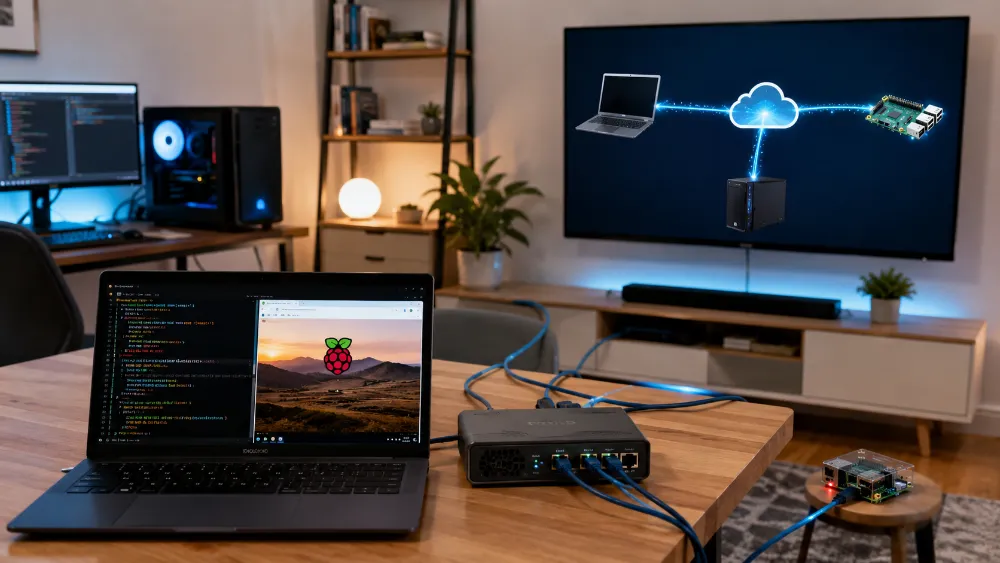
Technical Experience — Private Networking, P2P Connectivity, Cloudflare Tunnel & Remote Access
Experience Area: Private Networking, Peer-to-Peer Connectivity, Remote Access & Secure Exposure of Self-Hosted Services
Environments: Windows PC, Laptop, Raspberry Pi 5 / Linux, Local Network, Public Internet
Technologies & Concepts: LAN Networking, Peer-to-Peer Connectivity, SSH, Private Service Access, Cloudflare Tunnel, DNS, HTTPS, Webhooks, Remote Administration
My Networking Experience Grew From a Practical Need
I work across more than one machine.
My main PC handles active development and heavier workloads.
My laptop gives me another working environment.
My Raspberry Pi 5 runs always-on services such as automation infrastructure.
Once those machines started doing different jobs, networking stopped being an invisible background detail.
I needed to answer practical questions such as:
- How do I reach the Raspberry Pi from another machine?
- How do I manage a Linux service without attaching a monitor?
- How do private machines communicate with each other?
- How do I expose only the service that needs public access?
- How do external platforms reach a webhook running on my own hardware?
- How do I avoid exposing more of the private network than necessary?
Local Network Access Came First
Inside my own network, I use private/local connectivity between machines.
This allows my PC, laptop and Raspberry Pi to communicate without every internal service being published to the public internet.
For example, a service that only needs to be used from my own machines can remain private.
That distinction became important:
private access and public access are two different requirements.
I do not expose a service publicly just because I want to reach it from another machine.
SSH Became the Main Remote Administration Layer for Linux
For the Raspberry Pi, SSH lets me manage the machine remotely from another computer.
That means I can operate the server without treating it like a desktop.
Through SSH I can:
- inspect the machine
- work with files and configuration
- run Docker commands
- manage Docker Compose stacks
- read logs
- restart services
- troubleshoot networking
- perform maintenance remotely
This made remote terminal access a normal part of operating the Pi rather than an emergency-only tool.
I Also Have Hands-On Peer-to-Peer Connectivity Experience
I have worked with peer-to-peer connectivity between my devices as part of my broader private networking setup.
I use P2P/private connectivity when I want machines to communicate directly without treating every connection like a public web service.
The important concept for me is the trust boundary:
devices I control should be able to communicate privately, while public services should be exposed separately and intentionally.
I keep this portfolio description at the architecture level because the important experience is the connectivity model itself, not pretending that one specific P2P product defines the whole skill.
Then n8n Created a Different Networking Requirement
Private access worked for me.
It did not work for external webhook senders.
If Meta, Google, a website, an API provider or another internet service needs to send a webhook into n8n, that platform cannot call a private LAN address.
The service needs a real publicly reachable HTTPS endpoint.
That created a new problem:
How do I make one self-hosted service public without simply turning the Raspberry Pi into an openly exposed home server?
Cloudflare Tunnel Became the Public Exposure Layer
I use Cloudflare Tunnel to expose selected self-hosted services through a public domain/subdomain.
The architecture is:
Public Internet → Cloudflare → Tunnel → Private Service
The Raspberry Pi can remain behind the private network while Cloudflare provides the public path to the intended application.
This is especially useful for:
- public n8n access
- webhook endpoints
- external callbacks
- remote service access
- HTTPS exposure through a normal domain/subdomain
This Is Different From Direct Port Exposure
The simplest way to make a local server reachable from the internet is often to open ports on the router and point traffic directly at the machine.
I did not want that to be my default architecture.
A tunnel gives me a cleaner separation between:
the private host
and
the public application endpoint.
That does not eliminate the need for application security, but it avoids making direct inbound access to the home machine the first design choice.
DNS Became Part of the Application Architecture
Once a self-hosted service is reachable through a real domain, DNS is no longer only a website-hosting concern.
It becomes part of service routing.
I have worked with domain and subdomain configuration so that public traffic reaches the correct application through the tunnel.
This connects several layers:
domain → DNS → Cloudflare → tunnel → local service.
If one layer is wrong, the service can appear unavailable even when the application itself is running perfectly.
HTTPS Matters Because Webhooks and APIs Expect Real Internet Endpoints
Modern APIs and webhook systems commonly expect HTTPS.
A local development URL is not enough for real external integrations.
Using a public domain and tunnel allowed my self-hosted automation services to participate in normal internet-facing workflows without moving the whole application onto a managed cloud server.
This is useful for integrations where external systems need to reach:
- webhook triggers
- callbacks
- automation endpoints
- application APIs
Networking Problems Often Look Like Application Problems
One of the useful lessons from self-hosting is that a failed request does not automatically mean the application is broken.
The failure could be:
- the service is down
- the container is down
- the host is unreachable
- the tunnel is disconnected
- DNS is wrong
- the port is wrong
- the application is listening on the wrong interface
- the caller is using the wrong URL
- the endpoint is public but authentication is rejecting the request
This made me more disciplined about diagnosing the path of a request before changing application code.
I Think in Terms of Traffic Paths
When debugging connectivity now, I try to identify the exact route:
Who is calling?
What hostname or IP are they using?
Is the request private or public?
What layer receives it first?
Where does it travel next?
Which service should finally receive it?
This is often more useful than randomly restarting the destination application.
Private P2P and Public Tunnels Solve Different Problems
I do not treat P2P/private networking and Cloudflare Tunnel as competitors.
They serve different purposes.
Private / P2P connectivity is useful when devices I control need to communicate without publishing the service to everyone.
Cloudflare Tunnel is useful when an external internet service needs a public endpoint.
Using both concepts gives me more control over which services remain private and which are intentionally internet-facing.
The Same Experience Helps With Development Across Multiple Machines
My projects do not always stay on one computer.
I have moved containerized systems between my PC, laptop and Raspberry Pi.
Networking knowledge matters during these migrations because addresses, hostnames, ports and service locations can change.
An application may be portable at the Docker layer while still depending on networking assumptions that need to be updated on the new host.
I Do Not Describe This as Enterprise Network Engineering
My experience is practical and infrastructure-focused.
I am not claiming to design carrier networks or operate enterprise routing infrastructure.
I use networking knowledge to make my own development, automation and self-hosted systems communicate reliably and with sensible exposure boundaries.
That includes:
- local/private connectivity
- peer-to-peer device access
- SSH
- public tunnels
- DNS
- HTTPS endpoints
- webhooks
- remote service troubleshooting
The Biggest Lesson
The biggest networking lesson I learned from self-hosting is that not every service needs the same kind of access.
Some services should stay private.
Some devices only need to communicate with each other.
Some applications need a public HTTPS endpoint because external systems must call them.
Good networking decisions start by deciding who should be able to reach the service, then building the shortest appropriate path for that traffic.
Skills & Technologies Demonstrated
Private Networking · Peer-to-Peer Connectivity · LAN · Raspberry Pi 5 · Windows · Linux · SSH · Remote Administration · Cloudflare Tunnel · DNS · Subdomains · HTTPS · Public Webhooks · API Callbacks · Private Service Access · Self-Hosted Services · n8n · Docker Networking · Port Mapping · Remote Troubleshooting · Traffic-Path Diagnosis · Cross-Machine Connectivity