2021–2023 — Early Hosting Experience With Namecheap
Role: WordPress Developer & Website Manager
Platform: Namecheap Hosting / cPanel
My First Real Hosting Learning Curve
Namecheap was one of my first serious hosting experiences between 2021 and 2023. At that stage, I was still learning how hosting, domains, SSL, databases, email, DNS and server-side website management actually worked together.
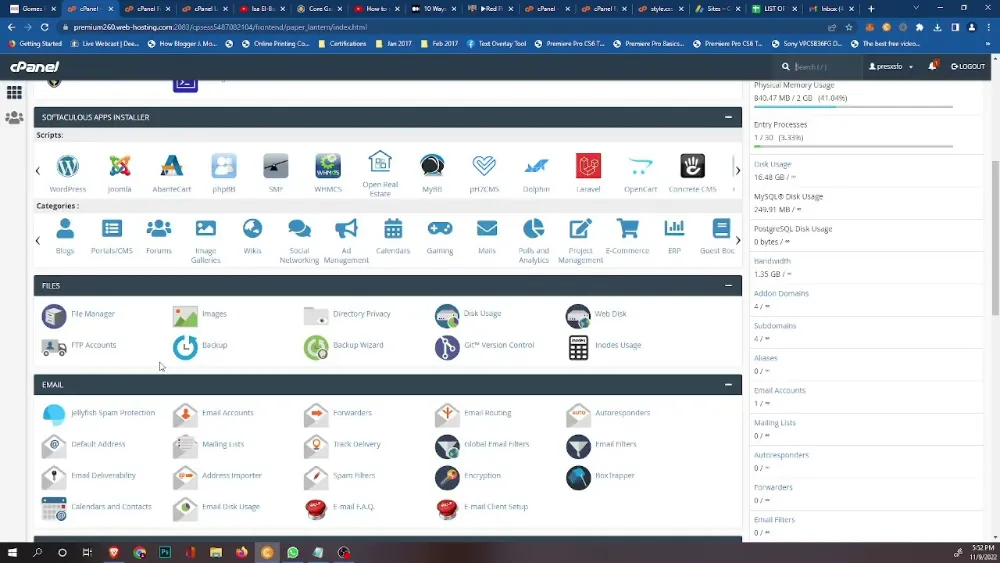
The first time I opened cPanel, it felt less like a website dashboard and more like sitting inside a Boeing 747 cockpit. There were controls everywhere: files, databases, email, domains, SSL, backups, security, DNS and settings I had never touched before.
That complexity was intimidating at first, but it became one of the environments where I learned how websites actually work beyond the WordPress admin screen.
The Problems That Forced Me to Learn
My overall experience with Namecheap hosting was mixed. The pricing was attractive, especially when I was starting out, but I repeatedly encountered issues that forced me to troubleshoot rather than simply build websites.
- Unexpected downtime and availability issues
- Connection and website-access problems
- SSL configuration and renewal problems
- Hosting-side troubleshooting
- Support interactions when issues could not be solved from WordPress
- Learning how cPanel, files, databases and domains connect
- Understanding the difference between a website problem and a hosting problem
What I Learned
In hindsight, the difficult parts of the experience were useful. Namecheap helped teach me that website development does not stop at design and plugins. A developer also needs to understand what happens when the server is slow, SSL breaks, DNS points incorrectly, a database has an issue, or the website becomes unreachable.
By solving these problems repeatedly, I became more comfortable working with hosting panels, domain settings, SSL, backups, databases and general website infrastructure.
My View After Using It
Namecheap was inexpensive and accessible, which made it useful during my earlier development years, but I would not describe my hosting experience there as consistently smooth. Reliability, support and connection-related problems made it less suitable for projects where I wanted a stronger production experience.
In my own experience, I still preferred it over GoDaddy hosting, but both platforms taught me an important lesson: cheap hosting can save money upfront while creating more operational work later.
Why This Experience Matters
This was one of the periods that moved me from being someone who only built websites to someone who could also diagnose the environment underneath them.
Later, when I worked with Hostinger, migrations, DNS, SSL, security, CDN configuration, email systems and production WordPress troubleshooting, I was building on lessons that started during these early Namecheap years.
Skills: cPanel · WordPress Hosting · DNS Basics · SSL · Databases · File Management · Website Troubleshooting · Domain Management · Backups · Hosting Support · Infrastructure Problem Solving