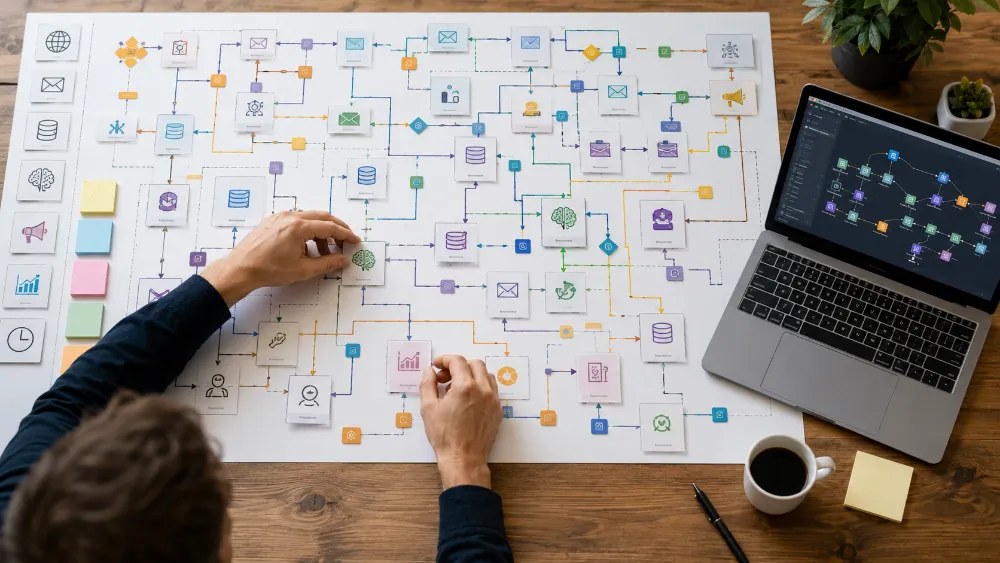
Technical Experience — n8n Automation Engineering & Multi-Workflow Systems
Experience Area: n8n Automation, Workflow Architecture, APIs, AI Integration & Business Systems
Used Across: Content Operations, Social Media, SEO, WordPress, Advertising, Monitoring, Internal Tools, Web Apps & Client Operations
Infrastructure: Windows, Docker, Docker Compose, Raspberry Pi 5, PostgreSQL, Cloudflare Tunnel, REST APIs, Webhooks, AI APIs
n8n Became One of My Main Systems Tools
I do not use n8n only for small “when this happens, send an email” automations.
I have used it to build complete multi-workflow systems where different workflows have different responsibilities.
Over time I have built and worked with 100+ workflows across multiple systems.
Those systems have included work around:
- AI content production
- social media publishing
- SEO operations
- WordPress automation
- Google Ads
- Meta Ads
- lead/event handling
- website uptime monitoring
- AI image generation
- web-app integrations
- internal operations
The important experience is not the number of workflows.
It is learning when one large workflow should become several smaller systems with clear boundaries.
I Learned Quickly That One Giant Workflow Becomes Difficult to Trust
A simple automation can live in one workflow.
A serious system often should not.
If one workflow is responsible for:
- intake
- research
- AI reasoning
- validation
- execution
- monitoring
- human approval
- error handling
then one failure can make the entire system difficult to debug.
So my larger n8n projects evolved into families of workflows.
Each workflow can have a clearer responsibility.
My Advertising Automations Are a Good Example
My earlier advertising automation idea was simple:
brief → AI plan → create campaign.
Real campaign work exposed why that was not enough.
The system needed separate areas for:
- intake diagnostics
- strategy planning
- keyword/copy work
- creative generation
- QA
- launch execution
- daily observation
- action control
- offline conversion feedback
- audience synchronization
- error notification
The workflows became separate because the responsibilities were different.
Diagnosis should not automatically mutate a live account.
Strategy should not invent API entity IDs.
AI recommendations should not bypass validation.
This is how I think about serious n8n systems now.
Conditional Workflows Became More Important Than Always-On Automation
One of the biggest lessons I learned is that a workflow does not need to run just because it exists.
Some workflows should run only when a condition is true.
For example:
A geo-target resolver is only needed when the exact platform geo entity still needs to be resolved.
A creative renderer is only needed when generated creative is actually required.
An offline conversion import is only useful when qualified conversion outcomes exist.
A custom-audience sync should only run when eligible first-party data exists.
This changed my automation mindset from:
“Automate every step.”
to:
“Automate the step only when the system has a reason to perform it.”
I Use n8n as an Orchestrator, Not as the Owner of Every Decision
n8n is excellent at moving data and coordinating systems.
That does not mean every business rule belongs inside a giant Code node.
I separate responsibilities between:
- n8n orchestration
- deterministic application code
- database state
- AI reasoning
- external APIs
- human approval
For example:
AI can recommend.
deterministic validation can check.
a human can approve.
n8n can execute.
REST APIs and Webhooks Are Core to My n8n Work
A large part of my n8n experience is integration engineering.
I regularly work with:
- HTTP Request nodes
- REST APIs
- JSON payloads
- webhooks
- API keys
- bearer tokens
- OAuth-connected services
- custom headers
- pagination
- rate limits
- timeouts
- retries
This is where n8n becomes much more useful than a simple no-code tool.
It can become the integration layer between systems that have no native connection.
WordPress Became One of Those Connected Systems
I have used n8n with WordPress for publishing and content operations.
This includes systems where AI-generated or structured content moves through validation and then into WordPress through API-based workflows.
I also built event-renewal logic where existing WordPress content could be evaluated and renewed rather than blindly duplicated.
The important part was not only:
“Can n8n publish a post?”
It was:
“Can the workflow understand whether this content should be created, updated, skipped or escalated?”
AI Became a Major Part of My n8n Systems
I have integrated n8n with cloud and local AI models.
That includes APIs from major AI providers as well as local endpoints through tools such as LM Studio.
I use AI inside workflows for tasks such as:
- research processing
- classification
- content generation
- structured planning
- decision support
- creative briefing
- validation assistance
But I do not trust AI output just because the workflow received a response.
Structured Output Became Critical
Inside n8n, a model response often feeds another node.
That means the next node needs predictable data.
I have worked with:
- structured JSON outputs
- required fields
- allowed values
- normalization
- sanitation
- repair/fallback logic
- stop conditions when output is unsafe
This taught me a very practical rule:
AI text is not automation state until it passes validation.
Local AI Also Became Part of n8n
I have connected local models to n8n through local API endpoints.
This allowed me to test whether smaller/open models could handle bounded tasks without depending on a paid external API for every request.
The experiments were useful because local models also exposed failure modes:
- malformed JSON
- extra reasoning text
- weak instruction following
- unsupported claims
So local AI became another execution lane, not an automatic replacement for stronger cloud models.
ComfyUI Turned n8n Into an Image-Generation Orchestrator
I also connected ComfyUI with n8n.
Instead of generating an image manually, the automation can:
- prepare the image brief
- construct the ComfyUI payload
- submit the generation
- wait for completion
- inspect generation history
- retrieve the final image
This allowed image generation to become part of a larger automated content system.
n8n coordinates the process.
ComfyUI handles rendering.
Social Media Publishing Became Another Large Automation Area
I have built AI-assisted social media systems where content and image production connect to publishing workflows.
The important challenge is not generating one post.
It is managing repeated brand activity across different businesses without turning the system into random AI publishing.
That requires control over:
- brand context
- content type
- creative direction
- platform requirements
- approval where needed
- publishing state
I have used this type of system in real client/social work rather than only as a demo.
Human Approval Became a Feature, Not a Failure of Automation
I do not believe every automation should be fully autonomous.
Some decisions are too risky or subjective.
I have designed workflows where the system prepares the work and a human confirms the important action.
This can be useful for:
- creative approval
- campaign launch
- high-impact account changes
- content with brand/reputation risk
A human-in-the-loop step is not weak automation.
It is controlled automation.
I Built Monitoring in n8n and Learned From False Alerts
My uptime monitoring system is another example of n8n being used for more than data movement.
An early version used custom code for HTTP checks.
The runtime itself failed, and the workflow incorrectly reported the website as down.
That was an important design failure.
I rebuilt the transport layer around native n8n HTTP Request nodes and separated:
request execution
from
state/alert logic.
Confirmed Failure Became More Important Than Fast Alerts
One bad request does not always mean a real outage.
So the monitoring system evolved to confirm failures before sending DOWN alerts.
It also tracks transitions such as:
UP → DOWN
DOWN → still DOWN
DOWN → UP
This reduced noise and made the monitoring system more trustworthy.
Error Handling Became Its Own Infrastructure
Large automation systems need a consistent way to report failures.
I have used centralized error-notification workflows so individual workflow families do not each reinvent alerting from scratch.
This allows errors to carry useful context such as:
- which workflow failed
- which stage failed
- what input/context was involved
- what the operator should inspect next
This is much more useful than a generic:
“Workflow failed.”
Then I Moved n8n From My PC to Raspberry Pi 5
My n8n experience also includes infrastructure operations.
I originally worked with n8n on my PC.
Later, I migrated my containerized n8n environment to a Raspberry Pi 5 so it could stay online continuously without depending on my main development machine.
The self-hosted stack includes:
- Docker
- Docker Compose
- n8n
- PostgreSQL
- Linux
- Cloudflare Tunnel
This gave me experience with both:
building workflows
and
operating the automation platform itself.
Public Webhooks Required Real Infrastructure
A workflow running on a private Raspberry Pi cannot receive internet callbacks unless there is a public route to it.
I use Cloudflare Tunnel to expose the intended n8n service through a public HTTPS domain/subdomain while the Pi remains on the private network.
This supports real external webhook integrations without treating the Pi as a directly exposed public server.
PostgreSQL Made the Automation Platform More Durable
I also run n8n with PostgreSQL rather than treating the automation environment as a disposable experiment.
This required understanding:
- database connectivity
- persistent data
- container networking
- environment configuration
- service relationships
- migration/recovery concerns
I Use n8n With My Own Web Applications Too
I have connected n8n to custom web applications through secure webhooks and APIs.
In these systems, the web app can act as the control/reporting layer while n8n performs the automation work.
This is useful because I do not want to force complex user interfaces into n8n itself.
The responsibilities stay clearer:
web app = interface, data view and controls
n8n = orchestration and execution.
I Do Not Try to Make n8n Do Everything
n8n is powerful enough that it is tempting to put all logic inside it.
I deliberately avoid that when another layer is better.
I may keep:
- complex application state in a database
- UI logic in a web app
- deterministic transformations in code
- high-level judgment in AI
- approval with a human
- orchestration in n8n
This makes the overall system easier to understand and maintain.
The Biggest Lesson
My n8n experience taught me that professional automation is not about maximizing the number of automated actions.
It is about controlling:
when a workflow should run, what authority it has, what data it trusts, what happens when it fails, and when it should deliberately do nothing.
The strongest workflow is sometimes the one that reaches a valid conclusion and decides not to act.
Skills & Technologies Demonstrated
n8n · Workflow Architecture · Multi-Workflow Systems · REST APIs · Webhooks · HTTP Request · JSON · OAuth · API Authentication · Rate Limits · Retries · Error Handling · Conditional Automation · Human-in-the-Loop · AI Integration · OpenAI API · Gemini API · Local LLM Integration · LM Studio · ComfyUI · WordPress REST API · Social Media Automation · SEO Automation · Advertising Automation · Google Ads Systems · Meta Ads Systems · Uptime Monitoring · State Management · PostgreSQL · Docker · Docker Compose · Raspberry Pi 5 · Cloudflare Tunnel · Web-App Integration · Centralized Error Notification · Automation Operations