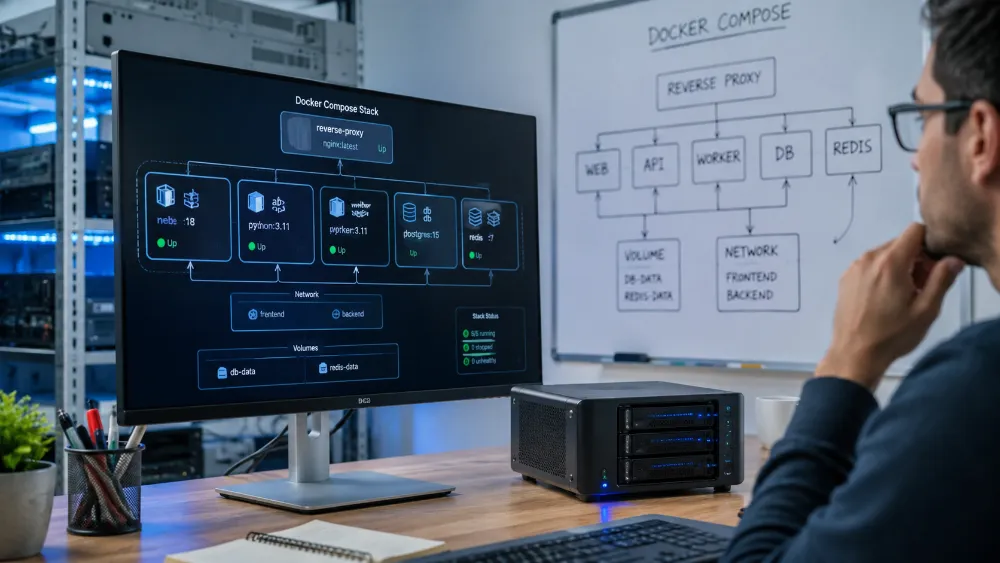
Technical Experience — Docker, Docker Compose, Container Migration & Local MCP Infrastructure
Experience Area: Docker, Docker Compose, Cross-Machine Container Operations, Self-Hosting & Local AI Tooling
Environments: Windows PC, Laptop, Raspberry Pi 5 / Linux
Technologies: Docker, Docker Desktop, Docker CLI, Docker Compose, Docker Compose CLI, Containers, Images, Volumes, Networks, Environment Variables, n8n, PostgreSQL, DDEV, Docker MCP Toolkit, Kubernetes Concepts
My Docker Experience Started on PC
I first built my Docker experience on my main PC.
That is where I learned how containerized applications actually behave, how Compose stacks are structured, and how to troubleshoot them when they do not behave the way a tutorial says they should.
Over time Docker became part of my normal technical workflow rather than something I used for one project.
I have worked with:
- Docker Desktop
- Docker CLI
- Docker Compose
- Docker Compose CLI
- Container images
- Persistent volumes
- Environment variables
- Container networking
- Port mapping
- Logs
- Container recreation and updates
- Multi-service stacks
A Lot of the Experience Came From Fixing Containers That Did Not Work
Most useful Docker knowledge did not come from successful docker compose up commands.
It came from failures.
I have spent substantial time troubleshooting container problems such as:
- containers that start and immediately exit
- services that cannot reach each other
- wrong environment variables
- broken volume mappings
- permission and filesystem problems
- port conflicts
- database connection failures
- incorrect hostnames inside a Compose network
- services behaving differently after migration
- containers that work on one machine but not another
- architecture-related compatibility problems
- configuration that survives locally but breaks after recreation
That troubleshooting experience is more valuable to me than simply knowing Docker commands.
When a container fails now, I think in layers:
host → Docker engine → network → container → environment → storage → application.
Then Docker Became the Foundation of My n8n Infrastructure
I used Docker for real automation infrastructure, including n8n and PostgreSQL.
This made Docker Compose especially useful because the system was no longer a single isolated container.
The services had relationships.
n8n needed its database.
Data needed to persist.
Containers needed to communicate.
Configuration needed to survive recreation.
The stack needed to recover after machine restarts.
That is where Docker moved from development convenience into infrastructure.
Then I Migrated the Containers From PC to Raspberry Pi 5
One of my more valuable Docker experiences was moving working containerized services from my PC to a Raspberry Pi 5.
This was not simply copying a folder and running the same command.
The new host was:
Windows/x86 development environment → Linux/ARM Raspberry Pi 5.
That forced me to think about what is truly portable and what is still host-specific.
I had to account for areas such as:
- CPU architecture
- image compatibility
- Linux paths vs Windows paths
- volume locations
- environment files
- permissions
- service networking
- persistent data
- public endpoints
- container startup behavior
That migration gave me much stronger Docker experience than keeping everything on one Windows PC.
I Have Also Migrated Containerized Work Between My PC and Laptop
I have worked with Docker across multiple personal machines rather than building one environment that only works on one computer.
I have migrated and recreated containerized projects between my main PC, laptop and Raspberry Pi.
That made one principle very practical:
portable does not mean zero configuration.
Docker removes many environment differences, but the new host can still have different:
- filesystem paths
- ports
- CPU architecture
- available memory
- network configuration
- credentials
- mounted directories
- host services
A good Compose setup makes migration easier, but I still need to understand those boundaries.
Persistent Data Became a Serious Concern During Migration
Moving a stateless container is easy.
Moving an application that contains real state is different.
For services such as n8n and PostgreSQL, I had to think about:
application container ≠ application data.
The container itself can be recreated.
The database, credentials, workflow state and persistent files cannot simply be treated as disposable.
This is where volume design, database state and environment configuration became especially important.
Raspberry Pi Added the ARM/Linux Layer
After migrating to Raspberry Pi 5, I began operating Docker directly through Linux and the command line.
This gave me experience beyond Docker Desktop:
- SSH into the host
- run Docker commands remotely
- manage Compose stacks through CLI
- read logs without a GUI
- restart/recreate containers
- inspect services
- troubleshoot Linux-side networking and storage
- work with ARM-compatible images
It also made resource awareness more important because a Raspberry Pi does not have the same headroom as my main PC.
Docker Is Also Part of My WordPress Development Environment
I use DDEV for local WordPress development.
DDEV abstracts much of the lower-level container setup, but it is still based on Docker.
That gives me another use case for containers:
repeatable isolated development environments for PHP, WordPress and database-backed projects.
I do not need every WordPress project to depend on one global PHP/database configuration installed directly on Windows.
Docker MCP Toolkit Is a Separate Part of My PC Setup
I also use the Docker MCP Toolkit on my PC.
This is separate from the Raspberry Pi server.
I use it as part of my local AI-development environment where third-party MCP tools can be installed or exposed locally for capable AI clients and coding agents.
That gives Docker another role beyond hosting web applications.
It can provide a controlled local environment for tools that AI agents are allowed to call.
The architecture is closer to:
AI client / coding agent → MCP → Docker-hosted tool → local or external service.
This is useful because the AI agent does not need every integration built directly into the model or IDE.
MCP gives it a standardized tool interface, while Docker gives those tools isolated and repeatable execution environments.
Why I Like the Docker MCP Model
Without a controlled tool layer, an AI agent can become dependent on manually installed utilities scattered around the host machine.
With containerized MCP tools, the boundaries can be cleaner.
A third-party MCP server can have its own dependencies and runtime without polluting the rest of my development environment.
This fits the same reason I originally found Docker useful:
isolate the environment and make the integration more repeatable.
I Also Have Working Knowledge of Kubernetes
My container experience has naturally led into Kubernetes concepts.
I understand the reason Kubernetes exists and the problems it addresses when container infrastructure grows beyond what a single Docker Compose host should manage.
My current knowledge includes concepts around:
- container orchestration
- pods
- deployments
- services
- scaling
- desired state
- container scheduling
- health/restart behavior
- configuration and secrets concepts
I describe this as Kubernetes knowledge, not production Kubernetes-cluster administration.
My deeper hands-on operational experience is currently with Docker and Docker Compose.
Docker Compose and Kubernetes Solve Different Levels of the Same Problem
My practical experience with Compose also makes Kubernetes easier to understand.
Docker Compose is extremely effective for:
- local development
- small self-hosted stacks
- single-host services
- personal infrastructure
- controlled multi-container applications
Kubernetes becomes relevant when the problem moves toward orchestration across larger infrastructure, scaling, scheduling and stronger desired-state management.
I do not use Kubernetes simply because it is more advanced.
For something like my Raspberry Pi n8n environment, Docker Compose is the simpler and more appropriate tool.
What Docker Experience Means to Me Now
For me, knowing Docker no longer means:
“I can run an image.”
It means I can reason about a containerized system across different hosts.
I can work through:
- how the application is packaged
- what needs to persist
- how services communicate
- which environment settings belong outside the image
- how to diagnose a broken service
- how to move the stack to another machine
- what changes when the CPU architecture changes
- what Docker handles and what still belongs to the host
The Biggest Lesson
The strongest part of my Docker experience has been portability under real conditions.
I have built and operated containers on my PC, moved containerized services to Raspberry Pi 5, recreated environments on my laptop, solved failures across those environments, used Docker-backed WordPress development through DDEV, and now use Docker MCP Toolkit as part of my local AI tooling.
Docker makes applications portable, but real portability still requires understanding storage, architecture, networking, configuration and the host underneath the containers.
Skills & Technologies Demonstrated
Docker · Docker Desktop · Docker CLI · Docker Compose · Docker Compose CLI · Container Migration · Windows Containers Workflow · Linux Containers · Raspberry Pi 5 · ARM · x86/x64 · Images · Volumes · Persistent Data · Environment Variables · Container Networking · Port Mapping · Logs · Container Troubleshooting · n8n · PostgreSQL · DDEV · WordPress Development · Docker MCP Toolkit · MCP Servers · Local AI Tooling · Cross-Machine Deployment · Self-Hosting · Kubernetes Concepts · Container Orchestration Knowledge