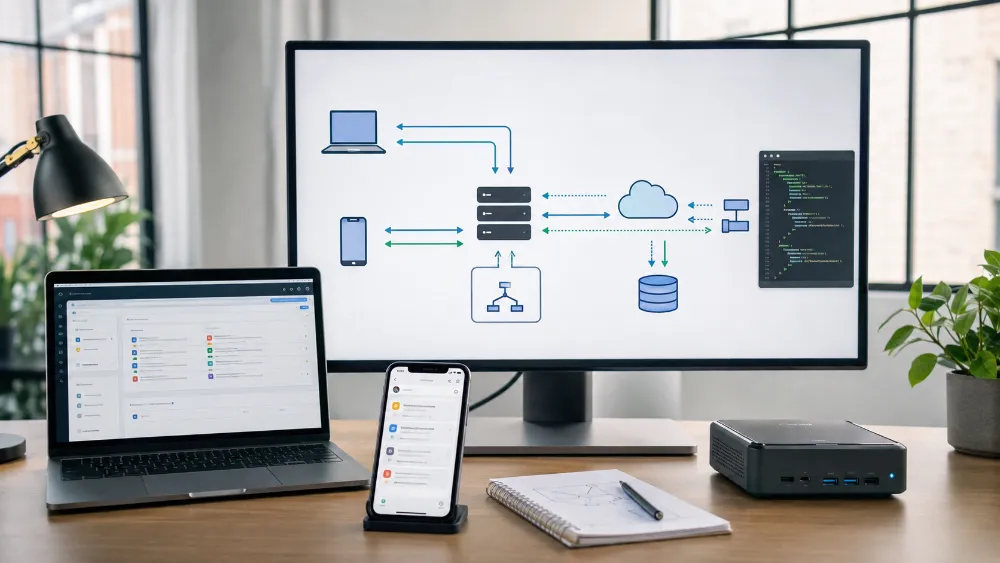
Technical Experience — REST APIs, Webhooks, MCP & Systems Integration
Experience Area: API Integration, Webhooks, Automation Connectivity & AI Tool Integration
Used Across: n8n, WordPress, Web Apps, AI Systems, Google/Meta Platforms, Local AI, Docker MCP Toolkit
Core Concepts: REST APIs, HTTP, JSON, Webhooks, Authentication, Rate Limits, Retries, Pagination, Validation, MCP, Secure Event Handling
Most of My Systems Do Not Live in One Application
A lot of the technical work I do is about connecting systems that were never built as one product.
A website may collect a lead.
n8n may process it.
A web app may store or display it.
WordPress may need to publish content.
An AI model may generate structured output.
Google or Meta may need to receive or return campaign data.
A local tool may expose functionality through MCP.
The work is not only writing code inside one application.
It is making different applications communicate reliably.
REST APIs Became a Normal Part of My Work
I regularly work with REST-style APIs through direct code, n8n HTTP nodes, web applications and AI systems.
That includes practical experience with:
- GET / POST / PUT / PATCH / DELETE requests
- JSON request and response bodies
- query parameters
- headers
- API keys
- bearer tokens
- OAuth-based integrations
- status codes
- pagination
- rate limits
- timeouts
- retry behavior
- error responses
I am comfortable thinking about an integration as an API contract rather than as a button inside a plugin.
WordPress REST API Gave Me a Practical CMS Integration Layer
WordPress is one of the systems where API access became especially useful.
Instead of doing every content operation manually inside wp-admin, I can connect automation or another application to WordPress through its REST interfaces.
This has been useful for content and publishing workflows where another system needs to:
- create or update content
- work with posts/pages
- send structured data into WordPress
- connect automation logic with the CMS
That gives WordPress another role beyond being a website editor.
It can become one component inside a larger system.
Webhooks Solved the Opposite Problem
REST APIs are useful when my system decides to make a request.
Webhooks are useful when another system needs to tell mine that something happened.
I use webhooks across automation and application workflows for events such as:
- form submissions
- lead events
- application events
- external callbacks
- automation triggers
- system-to-system notifications
That allows an automation to respond to an event immediately rather than constantly polling an API asking whether something changed.
A Webhook Is Easy to Create — A Trustworthy Webhook Is Harder
A public webhook endpoint is just another public API endpoint.
If I expose one, I need to think about more than whether the request reaches n8n or the application.
I need to think about:
- who is allowed to call it
- how the request is authenticated or verified
- whether required fields are present
- whether malformed payloads are rejected
- whether the event has already been processed
- what happens when the downstream system is unavailable
- what response the caller receives
This is why webhook work became part of application architecture rather than only automation wiring.
Duplicate Events Taught Me That “Received” Does Not Mean “Process Again”
External systems can retry webhook delivery.
Networks fail.
A sender may not know whether my system received the first attempt.
That means the same logical event can arrive more than once.
For operations that matter, I have learned to think about idempotency and duplicate protection.
The question becomes:
“Have I already handled this event?”
not only:
“Did I receive a valid request?”
This matters in lead systems, conversion tracking, application events and any workflow where repeating the action would create bad data.
Authentication Changes by Platform
One integration may use a simple API key.
Another may use bearer tokens.
Another may use OAuth.
Another may require a webhook secret or custom header.
So I do not design every integration around one authentication pattern.
I first understand what the external system expects, then keep credentials separate from the business logic.
In n8n, I prefer proper credential storage rather than hardcoding secrets inside workflow logic.
In applications, secrets belong in server-side/environment configuration rather than in public client code.
n8n Became My Main Integration Orchestration Layer
n8n is where many of these APIs meet.
A workflow can receive a webhook, validate it, call several APIs, transform the data, ask an AI model for a structured decision, update another application and finally send a notification.
That makes n8n useful as an orchestration layer.
But I do not assume every piece of logic belongs in n8n.
Some logic is better inside the application.
Some should stay deterministic code.
Some belongs in the database.
Some belongs in an AI model.
The integration design is about deciding where each responsibility should live.
Google and Meta Integrations Increased the Need for Precision
Advertising APIs made API discipline more important because these systems contain real campaign entities, budgets, targeting settings and account state.
A technically valid request can still make the wrong business change.
So I learned to separate:
strategy
from
API execution.
An AI model can help reason about a campaign.
But deterministic data should own exact values such as account IDs, entity IDs, coordinates, budgets, dates and API payload shape.
The execution layer should not invent identifiers or silently reinterpret approved configuration.
I Also Use APIs for AI as Infrastructure
My AI experience is not limited to chat applications.
I use models through APIs from providers and routing platforms such as OpenAI, Gemini and other providers.
That creates another kind of integration problem.
An AI API can return:
- valid structured output
- invalid JSON
- a timeout
- a rate-limit error
- a provider error
- an output that is technically valid but not good enough
So the API call itself is not the finished feature.
The application still needs validation, fallback and failure behavior around it.
Structured JSON Became an Interface Between AI and Software
When AI is part of an automated system, free-form prose is often the wrong output.
I use structured output so the next component knows exactly what it received.
That can include:
- required fields
- allowed status values
- arrays and objects with known shapes
- explicit action recommendations
- validation before execution
I treat model output as untrusted input until the software confirms it matches the expected contract.
This prevents a confident AI response from becoming an automatic system action just because it “looks right.”
Rate Limits and Retries Are Part of Integration Design
External APIs are not infinitely available.
They can return rate limits, temporary server failures or timeouts.
A reliable integration needs to know the difference between:
permanent failure
and
temporary failure worth retrying.
I have designed workflows and application logic around controlled retries, waits and fallback behavior rather than assuming every request succeeds on the first attempt.
At the same time, retries need limits.
An integration should not hammer a broken API forever.
Pagination Matters Once the Dataset Stops Being Tiny
Another common API mistake is assuming one response contains every record.
Many APIs paginate data.
Once I work with larger lists, histories or account data, the integration needs to understand:
- page size
- next-page cursors
- offsets
- result limits
- when to stop requesting more data
This is one of the differences between a quick API test and a real integration.
I Also Separate Read Access From Write Access
One of the most important controls in automation is whether the system can only observe or can actually mutate external state.
I often prefer to develop a read/diagnostic path first.
The system can inspect live data, analyze it and produce recommendations without immediately changing anything.
Write/mutation actions can be separated behind stronger validation or approval.
This has been especially useful in advertising and operational systems where an incorrect mutation has a real cost.
Applications and n8n Need Clear Contracts Too
When I connect n8n to one of my web applications, I treat that connection like any other API boundary.
The workflow and the application should agree on:
- which endpoint is called
- what authentication is required
- what payload shape is accepted
- which fields are required
- how success is represented
- how errors are returned
- how duplicate events are handled
That makes the integration easier to debug than a loose collection of HTTP calls with undocumented assumptions.
MCP Added a New Kind of Integration
More recently, I have also worked with Model Context Protocol (MCP).
MCP is useful because an AI client or coding agent can access external tools through a standardized tool interface rather than every integration being custom-built into the model client.
I have worked with MCP tooling including:
- Docker MCP Toolkit
- Context7 MCP
- third-party MCP tools exposed locally
This is different from a normal REST API integration because the primary caller may be an AI agent deciding when a tool is appropriate.
Docker MCP Toolkit Gives Me a Controlled Local Tool Layer
On my PC, Docker MCP Toolkit lets me work with third-party MCP servers/tools in isolated containerized environments.
The architecture becomes:
AI client / coding agent → MCP interface → containerized tool → local or external service.
I like this model because the agent does not need every tool installed directly into its own runtime.
The MCP layer describes the available capability.
Docker can isolate the implementation.
MCP Does Not Remove the Need for Trust Boundaries
An MCP tool can read files, query systems, call APIs or perform actions depending on what it exposes.
That means giving an AI access to an MCP server is an authority decision.
I treat tool access the same way I treat API write access:
give the agent only the capabilities it actually needs.
A useful tool ecosystem should be powerful without turning every AI session into unrestricted machine access.
Integration Debugging Is Usually About Finding the Broken Boundary
When a multi-system workflow fails, randomly editing every component is inefficient.
I try to identify the boundary where the contract stopped working.
For example:
Did the webhook arrive?
Was authentication accepted?
Was the JSON valid?
Did the API return the expected status?
Was the response parsed correctly?
Did the next service receive the transformed data?
This makes integration debugging much more systematic.
I Do Not Treat APIs as Magic Connectors
An API gives systems a language for communicating.
It does not guarantee that the business logic on either side is correct.
A reliable integration still needs:
- clear ownership of data
- validation
- authentication
- failure handling
- duplicate protection
- rate-limit awareness
- observability
- care around write permissions
The Biggest Lesson
The hardest part of systems integration is rarely sending an HTTP request.
The hard part is making two independent systems agree about:
identity, data shape, timing, permissions, failure and what should happen next.
I have worked with APIs and webhooks across WordPress, n8n, web applications, AI providers, advertising platforms and local MCP tools.
A good integration is not one that works once. It is one where I understand what happens when the other system is slow, wrong, duplicated, unavailable or changes its response.
Skills & Technologies Demonstrated
REST APIs · HTTP · JSON · Webhooks · API Keys · Bearer Tokens · OAuth Concepts · Authentication · Authorization · WordPress REST API · n8n · OpenAI API · Gemini API · Google APIs · Meta APIs · Web App APIs · Structured Outputs · JSON Validation · Rate Limits · Retries · Timeouts · Pagination · Error Handling · Idempotency · Duplicate Protection · Read vs Write Separation · Secure Webhooks · MCP · Model Context Protocol · Docker MCP Toolkit · Context7 MCP · Third-Party MCP Tools · Systems Integration · API Troubleshooting